
Android Auto.
Finally on board.
Native wireless Android Auto for your BMW — on its own screen, not a mirror.
€150 · one-time · no subscription
The dash your phone
has been waiting for.
Wireless, over Wi-Fi
No cable to the phone. Android Auto connects automatically over Wi-Fi every time you get in.
Keeps Apple CarPlay
You don’t lose anything. Your car runs Android Auto and CarPlay, switching to whichever phone you connect.
Native, no dongle
A software retrofit of your BMW’s own head unit. Nothing to plug in, wire or hide — and no laggy box.
Lifetime activation
Pay once. It’s yours forever — not a subscription, and it survives software updates.
The full experience
Google Maps, Assistant, messages, WhatsApp, Spotify and more — right on the car’s display.
NBT EVO & MGU
Works on the tiled EVO head units (iDrive 5/6) and the newer MGU systems with Live maps.
Flashed in,
not plugged in.
A one-time software activation of your head unit with an ENET cable — do it yourself with our guide, or let us do it remotely.
Do it yourself
On your own Windows or Mac laptop with a BMW ENET cable. We email the files and a step-by-step PDF for your head unit.
- Connect a BMW ENET cable between the car and your laptop
- Run our tool and follow the PDF we email you
- Android Auto is live in a few minutes
Or we do it for you
Prefer not to DIY? Plug in the ENET cable, keep your laptop online, and a Prolazo technician activates it remotely.
- Install Prolazo Connect and plug in the ENET cable
- Press Connect — we take it from there
- Nothing to read out, no codes to copy
What you’ll need
Everyday parts you fit yourself — no workshop, no soldering.
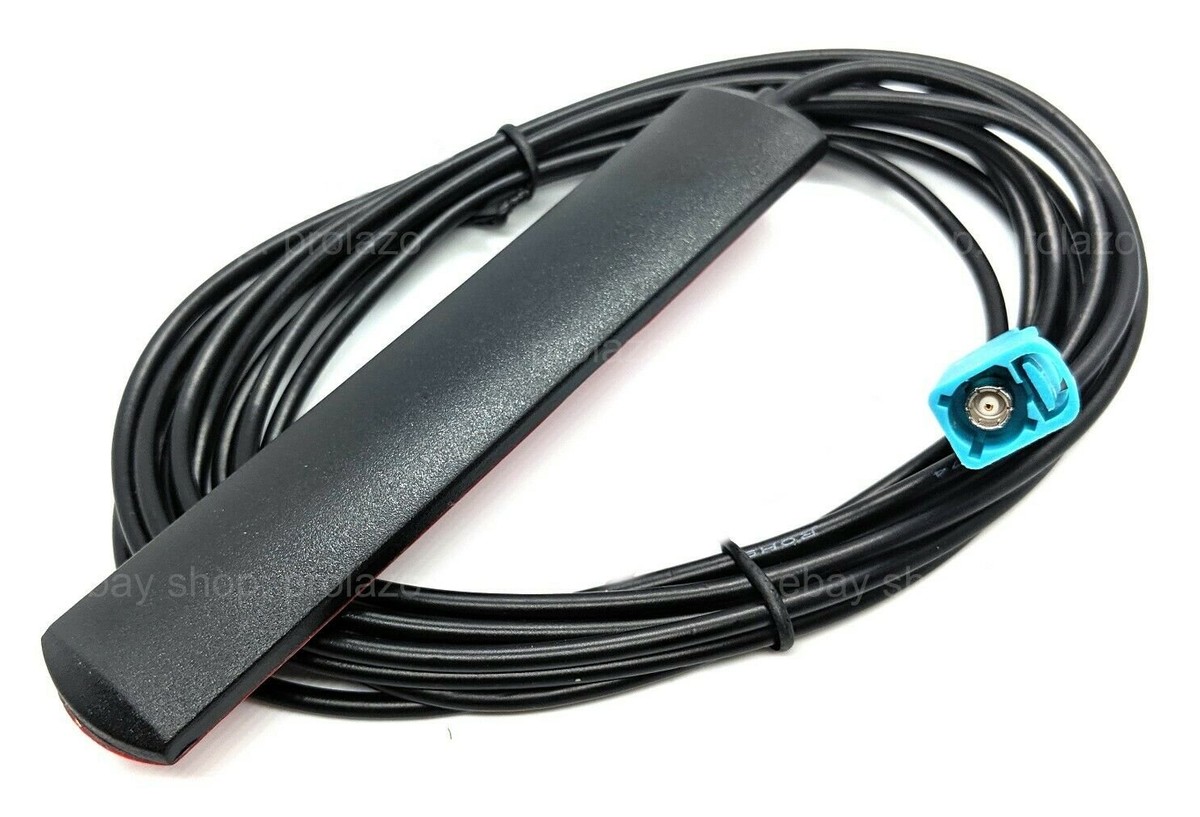
Wi-Fi antenna
Android Auto connects over Wi-Fi, so the car needs a FAKRA Wi-Fi antenna fitted. Don’t have one? A compatible BMW antenna like this is inexpensive and easy to add.
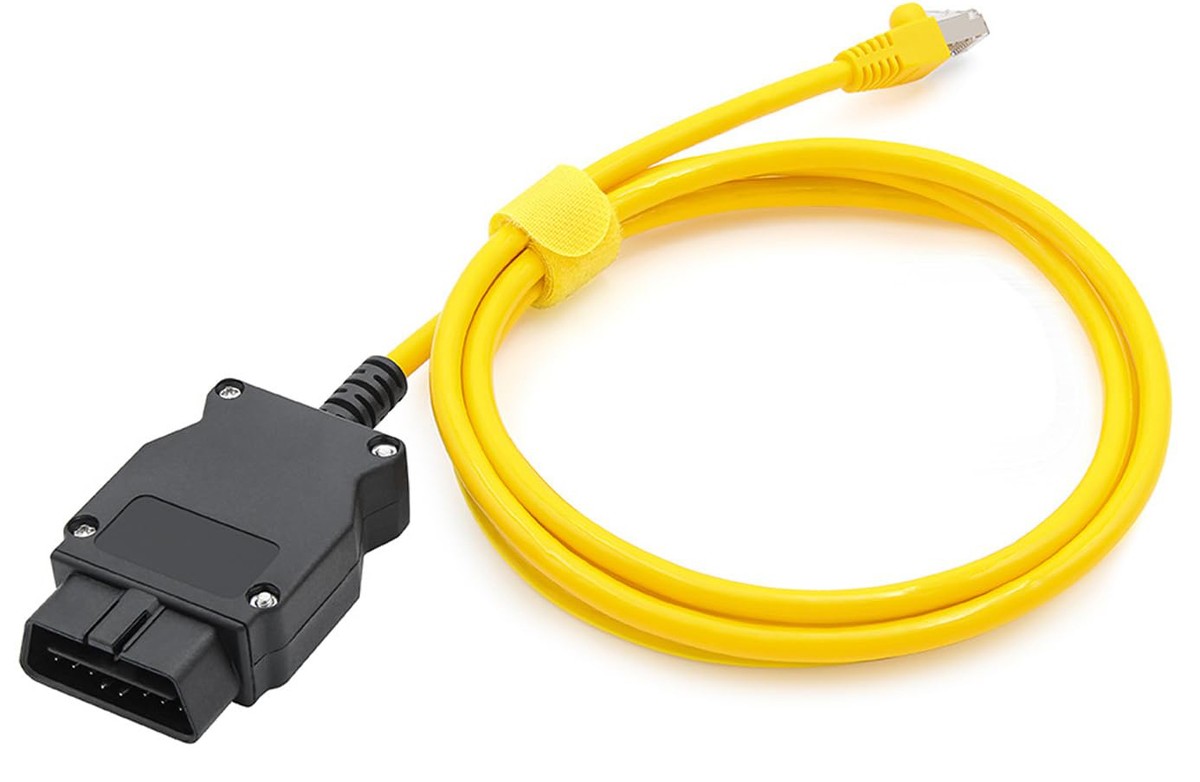
ENET cable
A standard “BMW ENET cable” from eBay or Amazon. It plugs into the car’s OBD port and your laptop’s Ethernet port — look for one that looks exactly like this.
Find your system.
Android Auto is activated differently on NBT EVO and MGU. Two ways to tell which you have.
Scan it automatically
Run Prolazo Connect on a Windows laptop with an ENET cable — it reads your head-unit type in seconds and matches the right activation.
Get Prolazo Connect ›Or check it yourself
- NBT EVO — the tiled iDrive 5 or iDrive 6 interface (rounded tiles, usually 2016–2020).
- MGU — the newer iDrive 7 or iDrive 8 interface with widgets and Live maps (2020 onward).
- Pick NBTEVO or MGU in “Choose your activation” below — or send us a photo of your screen and we’ll confirm.
Works on these head units
NBT EVO iDrive 5 / 6 — tiled menu
MGU iDrive 7 / 8 — Live maps
BMW and MINI. Not sure which you have? Run Prolazo Connect or send a photo and we’ll check.
30-second check — how to tell which head unit your BMW has.
Choose your activation.
Pick your head unit, enter your VIN, and add to cart. €150, one-time — includes the files, your licence and the step-by-step guide.
BMW 1–8 SeriesX1–X7Z4MININBT EVOMGU
Questions, answered.
Is this wireless Android Auto or wired?
Do I need an adapter, box or dongle?
Will I lose Apple CarPlay?
Which head units are supported?
Is it a subscription?
How is it installed?
Is the activation permanent?
Android Auto activation by Prolazo. Android Auto is a trademark of Google LLC. BMW, MINI and the model names are trademarks of BMW AG. Prolazo is an independent provider and is not affiliated with, endorsed by, or sponsored by Google LLC or BMW AG.