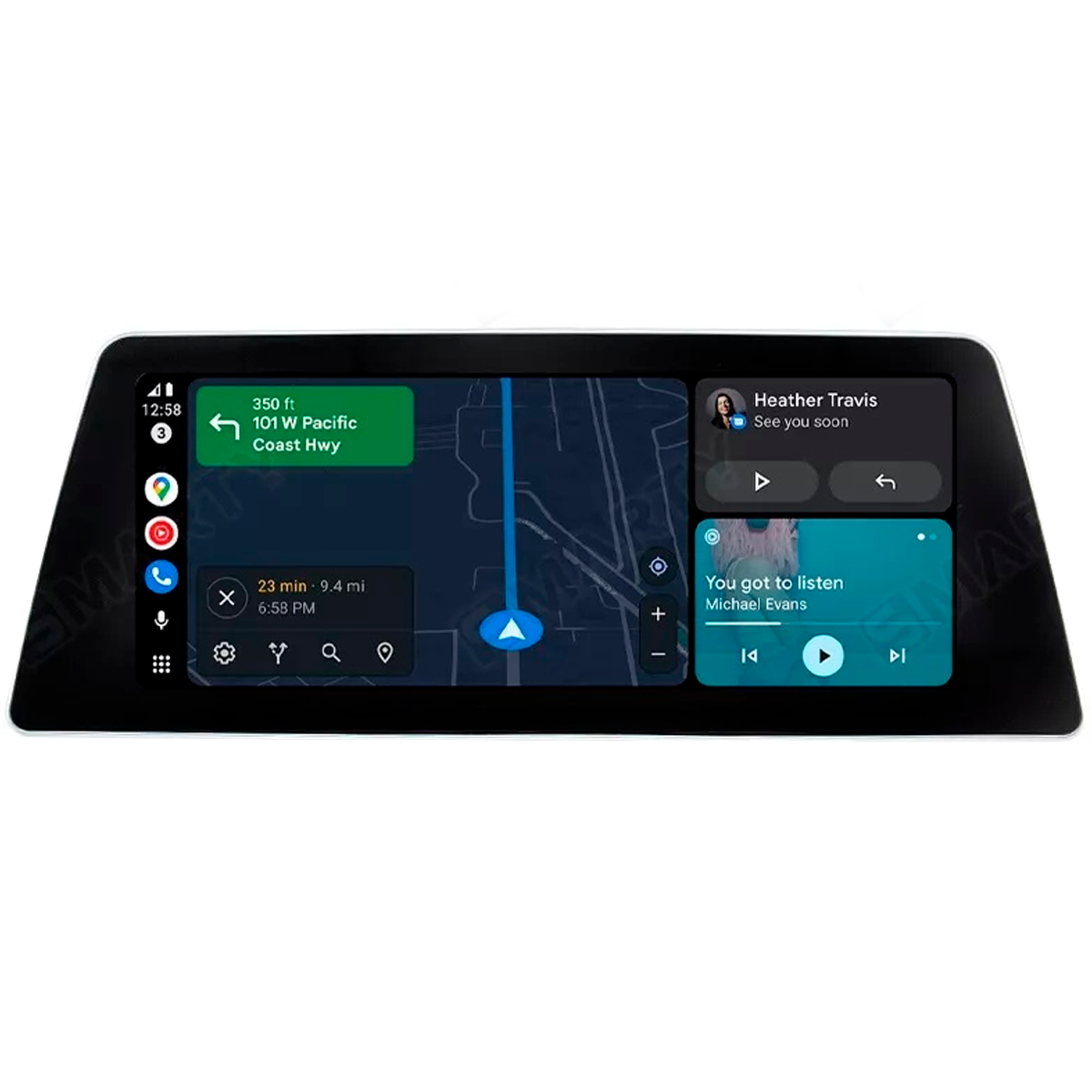
BMW Full Screen CarPlay
BMW full screen CarPlay is an activation that makes Apple CarPlay fill your entire iDrive display instead of the narrow strip BMW enables by default. On NBT EVO head units (iDrive 5 and iDrive 6), the hardware already supports full-screen, but the factory only switches on a split-screen "CarPlay box." Prolazo activates the full-screen mode permanently, remotely over an ENET cable (or by USB file depending on your head unit), after confirming compatibility against your car's real factory build from the VIN. It is a genuine retrofit, not a subscription, and all your original iDrive functions stay intact. Prolazo is an independent BMW/MINI/Supra specialist and is not affiliated with or endorsed by BMW AG.
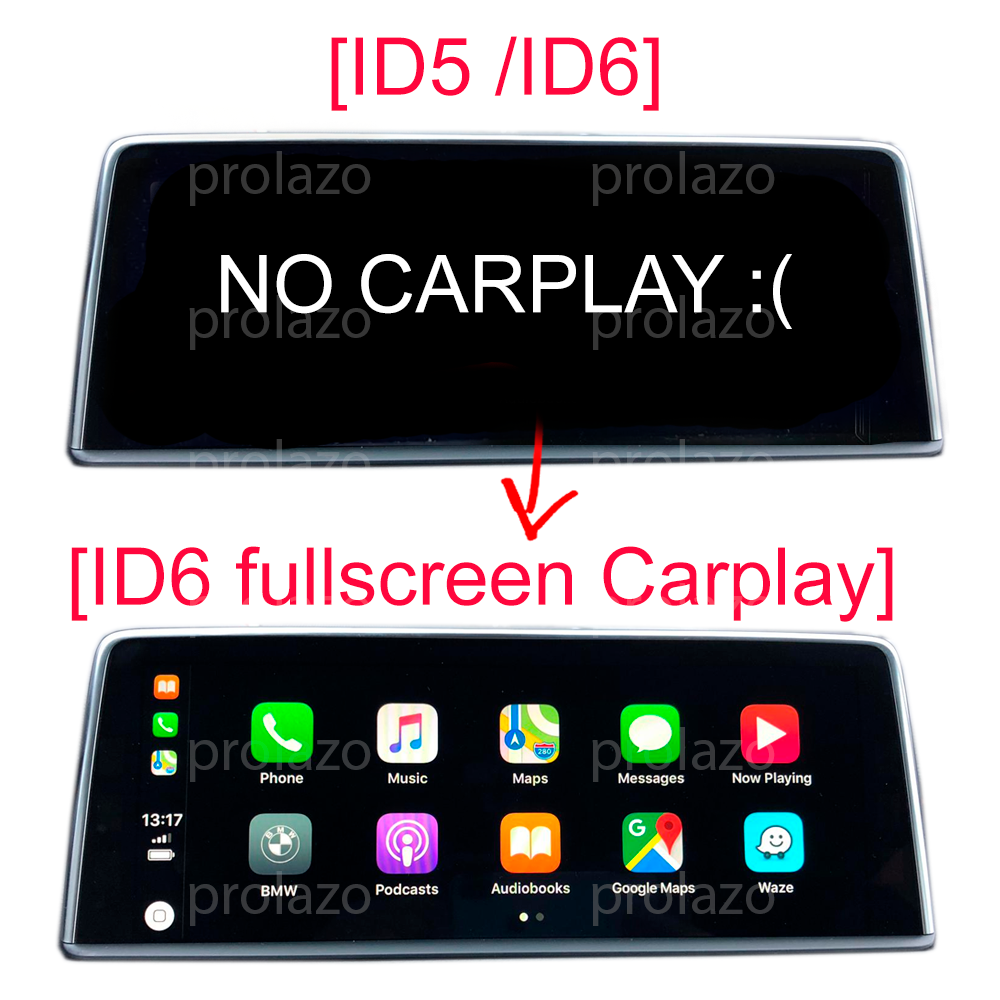
Why is my CarPlay not full screen?
If your BMW shows Apple CarPlay in a small box with the clock, status bar or a widget taking up the rest of the screen, that is the factory default. BMW ships CarPlay in split-screen mode, where CarPlay occupies only part of the iDrive display and the surrounding area stays reserved for BMW's own UI. Nothing is broken, and it is not a phone or cable fault.
Full-screen mode is a separate display setting inside the head unit that BMW leaves switched off. Once it is activated, CarPlay stretches edge to edge across the whole screen, giving you a far larger map and media view. The change lives in the head unit itself, so it works the same whether you connect wirelessly or by USB.
The default narrow strip vs true full-screen
On EVO head units the difference is purely software:
- Default (split-screen): CarPlay runs in a reduced window; part of the display shows BMW's clock, status or home content. This is what most cars have out of the factory.
- Full-screen: CarPlay uses the entire display. Maps, lists and now-playing screens are noticeably bigger and easier to read while driving.
Because the capability is already in the head unit, enabling full-screen does not change, remove or degrade any factory feature. Your native navigation, radio, vehicle menus and settings all remain exactly as before.
How activation fixes it on EVO (iDrive 5/6)
Full-screen CarPlay is enabled on NBT EVO head units, which power iDrive 5 (ID5) and iDrive 6 (ID6). Prolazo confirms your exact head-unit version and factory build, then activates full-screen mode as a permanent retrofit. Support depends on your specific NBT EVO software version plus the car's factory configuration, which is why compatibility is always confirmed from your VIN rather than a generic year/model lookup.
Two things determine whether your car is ready:
- Head-unit version: find it under Navigation > Settings > Position and software version > Software version. NBT EVO units report a code such as NBTEVO_X. Different version letters are activated by different methods, and on MINI only certain later versions support full-screen.
- Factory build: Prolazo checks your VIN so the activation matches how your car was actually optioned, not an assumption.
Most activations are done remotely over an ENET cable — you use your own Windows 10/11 laptop with an Ethernet port, guided step by step. Some head-unit versions are activated by a USB file instead. Either way the result is the same: permanent full-screen CarPlay that survives updates, with your factory functions untouched.
What you get
- True full-screen Apple CarPlay across the whole iDrive display on NBT EVO (ID5/ID6).
- Permanent, not a subscription — a genuine retrofit of your head unit, not a temporary unlock.
- Wireless and wired — works wirelessly after first pairing, and over USB.
- All factory functions kept — native nav, radio and vehicle menus stay as they were.
- VIN-checked compatibility — confirmed against your real factory build before you buy.
- Remote, guided install — mostly over an ENET cable, some versions by USB file.
Pricing starts from €24.99 and varies by activation method and options — see the product page for your exact configuration.
Check your BMW and activate
The quickest way to know if your car qualifies is to enter your VIN on the product page, where Prolazo confirms full-screen support from your factory build free of charge. If you prefer, you can also check your software version in iDrive first, or scan your car to read the head unit directly.
Activate BMW full screen CarPlay (from €24.99) · Scan your car · Browse all CarPlay options
Already have split-screen CarPlay and only want the full-screen upgrade? That is available as a dedicated option on the full-screen CarPlay page. Want wireless Android Auto too? See wireless Android Auto, and for anything bespoke, the remote coding hub.
Frequently asked questions
Why is my BMW CarPlay not full screen?
Because BMW enables CarPlay in split-screen mode by default. On NBT EVO head units (iDrive 5/6) the full-screen capability is already built in but switched off at the factory, so CarPlay appears as a narrow box with BMW's own content filling the rest of the display. Activating full-screen mode makes CarPlay fill the entire screen. It is not a phone, cable or fault issue.
Which BMW head units support full screen CarPlay?
Full-screen CarPlay is activated on NBT EVO head units, which run iDrive 5 (ID5) and iDrive 6 (ID6). Whether your specific car qualifies depends on the NBT EVO software version plus the factory build, so compatibility is confirmed from your VIN. You can find your version under Navigation > Settings > Position and software version > Software version, where it reads as a code such as NBTEVO_X. On MINI, only certain later versions support full-screen mode.
Is full screen CarPlay permanent or a subscription?
It is permanent. Prolazo's full-screen CarPlay is a genuine retrofit of your head unit, not a subscription or temporary unlock, and it survives software updates. All your factory iDrive functions remain intact after activation.
How is the activation done — do I need to visit a garage?
No garage visit is needed. Most activations are done remotely over an ENET cable using your own Windows 10/11 laptop with an Ethernet port, guided step by step. Some head-unit versions are activated by a USB file instead. The method depends on your specific NBT EVO version, which is confirmed before you buy.
How do I check if my BMW is compatible?
Enter your VIN on the product page and Prolazo confirms full-screen CarPlay support against your car's real factory build, free of charge. You can also check your head-unit version in iDrive under Navigation > Settings > Position and software version, or scan your car to read the head unit directly. Compatibility is based on your actual VIN and software version, not a generic year/model lookup.
I already have CarPlay but only split-screen — can I just get full screen?
Yes. If you already have working split-screen CarPlay, Prolazo offers a full-screen-only upgrade so you only pay for the mode you are missing. It is selectable as an option on the full-screen CarPlay product page, and like the full activation it is permanent and keeps all factory functions.
How much does BMW full screen CarPlay cost?
Pricing starts from €24.99 and varies by activation method (ENET or USB) and options such as a full-screen-only upgrade. The exact price for your car depends on your head-unit version and chosen options, which are shown on the product page after you check your VIN.
Is Prolazo affiliated with BMW?
No. Prolazo is an independent BMW, MINI and Toyota Supra specialist and is not affiliated with or endorsed by BMW AG. The full-screen CarPlay activation is an independent retrofit of your own head unit that keeps all factory functions.